LawDocs – Precise. Fast. Automated.
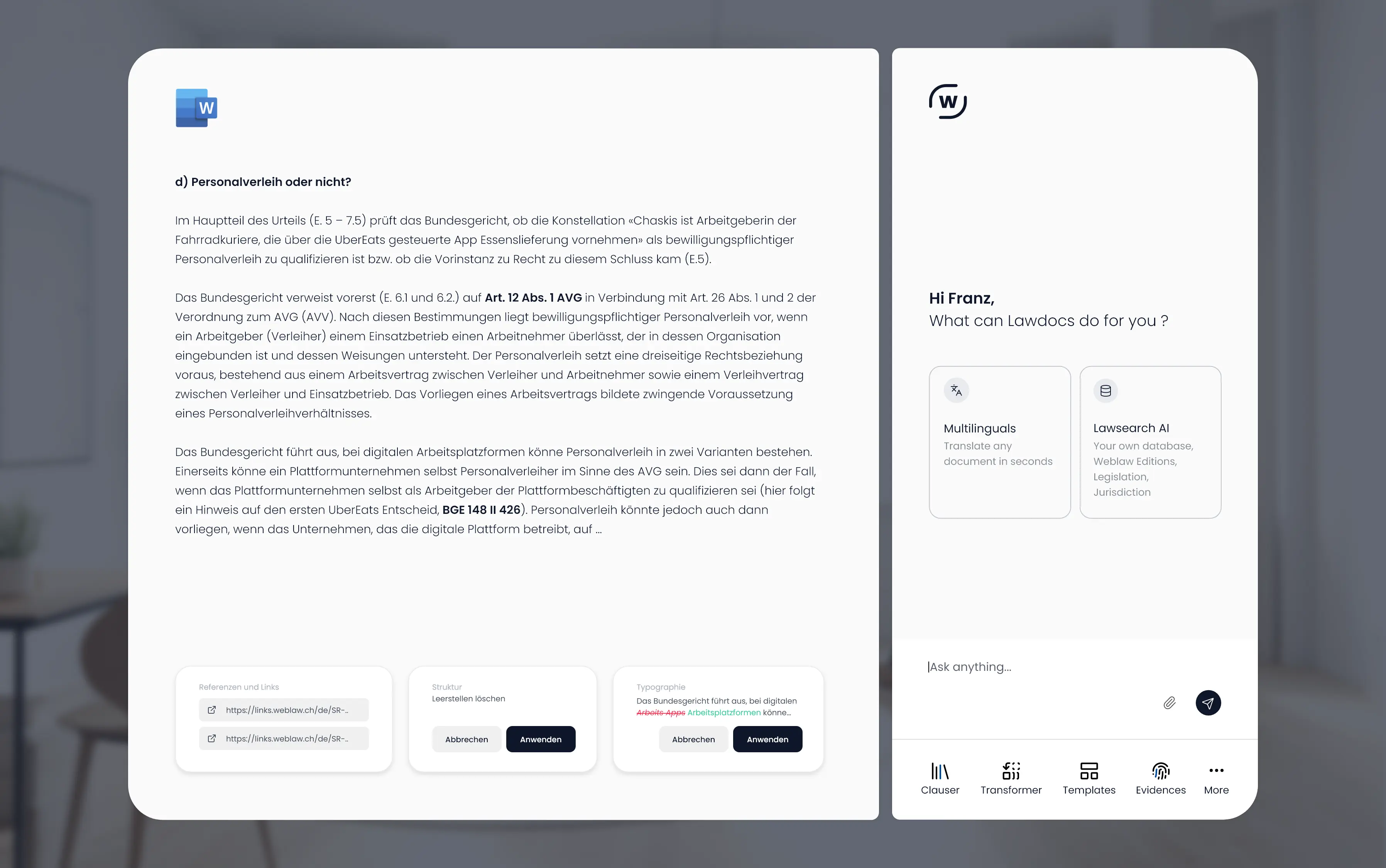
Perfect templates and efficient editing of your Word documents – proven in practice. Your powerful Word add-in for all cases, even the most demanding ones! Save time, money, and hassle by seamlessly integrating over 15 intelligent LawDocs modules into your daily work routine. 20 years of experience in one tool.

"(...) significant increase in efficiency and usability, with the best the market has to offer. (...) simple automation directly in Word, legal Word templates for daily hardcore use in demanding and multifaceted mandates. (...) we would recommend them anytime. Working with Weblaw is characterized by the uncomplicated and rapid implementation of requirements. Responsiveness is good, making Weblaw a long-standing and competent partner."

Gleiss Lutz, Stuttgart

Doc's Basics

Doc's Extras

Evidences

DocFix

Multilinguals

Clauser

Finalizer

TopicFinder

LegalSearch

CV-Maker

References

Submissions

Anonymizer

Templatizer
Doc's Basics
Doc's Extras
Evidences
DocFix
Multilinguals
Clauser
Finalizer
TopicFinder
LegalSearch
CV-Maker
References
Submissions
Anonymizer
Templatizer
Doc's Basics
Doc's Extras
DocFix
Multilinguals
Clauser
Finalizer
LegalSearch
Anonymizer
Doc's Basics
Doc's Extras
Evidences
DocFix
Multilinguals
Clauser
Finalizer
TopicFinder
LegalSearch
CV-Maker
References
Submissions
Templatizer
Anonymizer
Doc's Basics
Doc's Extras
Doc's Basics
Doc's Extras
Multilinguals
Finalizer
LegalSearch
Doc's Basics
Doc's Extras
Finalizer
LegalSearch
How to get started with LawDocs
Join a personalized demo of LawDocs and discover how the solution transforms your organization’s document management.

lic. iur., Owner and CEO Weblaw AG & Weblaw GmbH (Deutschland)
FAQ
What exactly is LawDocs?
LawDocs is a Word add-in specifically developed for legal work processes. It assists you in creating, revising, and formatting legal texts—directly within your familiar working environment. LawDocs automates formatting, ensures CI-compliant documents, and offers powerful additional modules with targeted AI use—all seamlessly integrated into Microsoft Word.
For which target group is LawDocs suitable?
LawDocs is aimed at everyone who regularly creates, edits, or formats documents in Microsoft Word.
Lawyers in law firms, legal departments, or notary offices, as well as assistants and employees in offices, particularly benefit from automated processes. Courts, legal services, administrations, and researchers are also optimally supported by LawDocs – for instance, in the creation of legal technical texts or publishing.
However, the software can also be used effectively in other industries. Be it pleadings, expert opinions, or templates in corporate design – LawDocs supports everyone who works with Word templates and wants to save time and improve document quality.
Do I need technical knowledge to use LawDocs?
No. LawDocs is intuitively designed and specifically developed for the needs of legal professionals. A short training ensures a smooth start, and if you have any questions, we are always available to provide personal support and close assistance.
How does the integration into our existing IT environment work?
LawDocs is directly integrated into Microsoft Word and works without additional software switching. It is compatible with existing Document Management Systems (DMS) such as iManage, SharePoint, M-Files, etc.
What does AI achieve in LawDocs – and what does it not?
The AI-supported modules assist you, for instance, with the translation of documents, the identification and recording of definitions, or content analyses. The core functions related to the automatic formatting, directories, the clause database for contracts and CI compliance operate without AI.
Can I purchase only individual modules of LawDocs?
Yes. LawDocs is modular in structure. You decide which modules you want to use—tailored to your personal requirements and processes.
Can DeepL be used for the module "Multilinguals"?
Yes. At LawDocs, you can flexibly choose the translation model. DeepL, GPT, or a other system: You can integrate the model your organization is already working with.
How much does LawDocs cost?
LawDocs is available as a flexible licensing solution – for individual workstations, teams, or entire organizations. The costs are based on the desired modules. We would be happy to create a customized offer for you.
Can I test LawDocs?
Yes. Feel free to contact us for a free demo or trial installation – and experience LawDocs directly in your Word environment.
What about data protection when using the AI modules?
The protection of your data is our top priority. LawDocs' AI modules run on Microsoft Azure, with servers located in Switzerland or Germany. Data is processed exclusively for the purpose of providing services and in compliance with the applicable data protection laws in Switzerland and the EU. Microsoft is certified under the EU-US Data Privacy Framework and the Swiss-US Data Privacy Framework, which ensures data protection-compliant processing in accordance with the GDPR. Data is not stored outside your environment or outside the European legal area.
What hardware and software requirements does LawDocs need?
LawDocs is compatible with Windows 10 or 11 as well as macOS in conjunction with Microsoft 365 (Word Desktop Version). For certain functions, an internet connection is required. Usage with Microsoft Office 2019 is potentially also possible. In addition, Office Web and Office for iPad are supported.